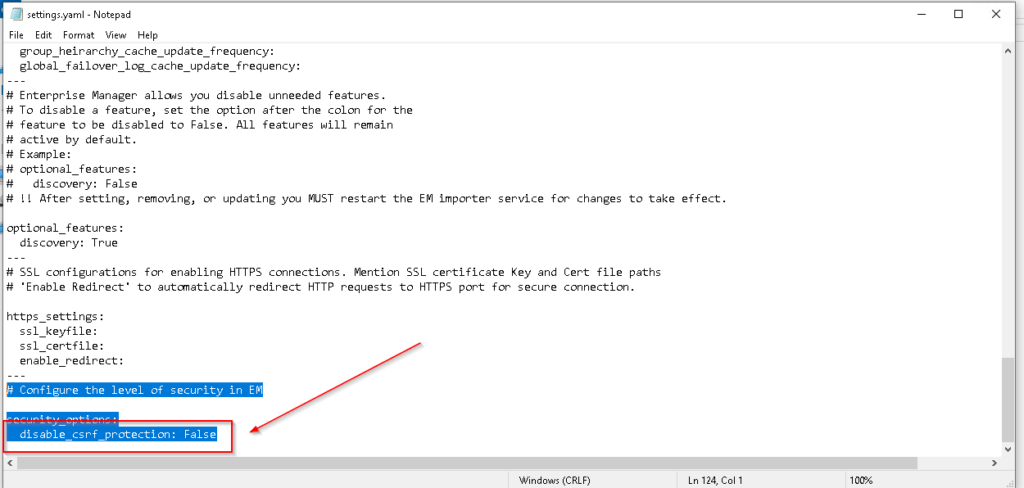
In some cases, CSRF would prevent accessing the EM server from the browser due to the CSRF “Cross-Site Request Forgery” validation when having a proxy server, and needs to disable this protection.
Product
Enterprise Manager version 24.12 and higher
Steps to Disable
-Windows
- navigate to “C:\Program Files\exacqVision\EnterpriseManager\EnterpriseSystemManager”
- Open the file “settings.yaml”
- at disable_csrf_protection Change it to True
-Linux
- navigate to “/usr/local/exacq/esm”
- Open the file “settings.yaml”
- at disable_csrf_protection Change it to True