Month: July 2025
Health Monitor in exacqVision 25.1P1
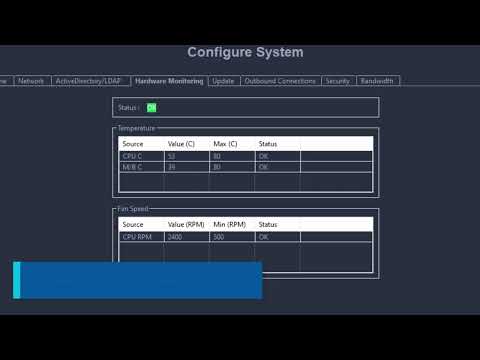
00:00 Introduction00:11 Configure System00:20 Hardware Monitoring00:48 Fan Speed Alarm01:01 Temperature Alarm01:15 Event Linking
Exacq server is sending a DHCP discovery message on the network with different Mac address.
Description Exacq server installed on Windows is sending a DHCP discovery message on the network using different Mac address. Exacq logs Wireshark logs Product ExacqVision server “All versions” Solution Set a Windows Firewall outbound rule to block the DHCP port 67 on UDP. assign the IP manually to Exacq server NICs.
24.12 Release Bulletin
RMA Status Request
If you are requesting a status update for your RMA please contact our customer care team. Email – exacqorders@tycoint.com (Please reference the RMA # in the Subject line)Phone – 317.845.5710 – Option #3 Monday – Friday (8:00 AM – 4:30 PM)
Soft Triggers

Events logs are showing up in a different timestamp in the camera web GUI
Description When accessing the camera web GUI, it was found that the camera time differs from the recorded event log timestamps. Product Steps to Reproduce Setup a test with Illustra ( Flex, Pro ) Gen4, and set the camera time to GMT+5 Expected Results The timestamps for recorded events in logs should appear in the… Continue reading Events logs are showing up in a different timestamp in the camera web GUI
Converting HTTPS certificates from .pfx bundle for compatibility with ExacqVision Enterprise Manager
Some certificate providers may provide a certificate bundle, such as a .pfx bundle. Below is an example of how to convert this to work with ExacqVision Enterprise Manager release version 24.12.4.0 or later. NOTE: This document is just one example of how this can be accomplished with explanatory comments. Please consult with your Certificate Provider… Continue reading Converting HTTPS certificates from .pfx bundle for compatibility with ExacqVision Enterprise Manager