Disable throttling mechanism on Exacq servers that are showing negative memory use
Introduction
exacqVision Server includes a throttling feature intended to reduce video and/or audio processing when system memory is under pressure. On some exacqVision Server versions earlier than 26.0.4, throttling logs may report negative values in the “in-use” memory field, which can trigger false throttling. This KB provides a temporary workaround to disable throttling.
Problem
False throttling can degrade live video and playback performance, and in worst cases may impact recording behavior even when the server has sufficient memory.
Cause
A throttling log/measurement issue may show negative “in-use” memory values on some versions below 26.0.4. This can incorrectly meet throttling conditions and trigger throttling.
Solution
Disable throttling by stopping the exacqVision Server service, setting throttling=0 in core.xml, and restarting the service. This is a workaround and should be reverted after a permanent fix is applied.
Step-by-step
1) Stop the exacqVision Server service.
• Windows: open Services (services.msc) and stop “exacqVision Server”.
• Linux: sudo systemctl stop edvrserver
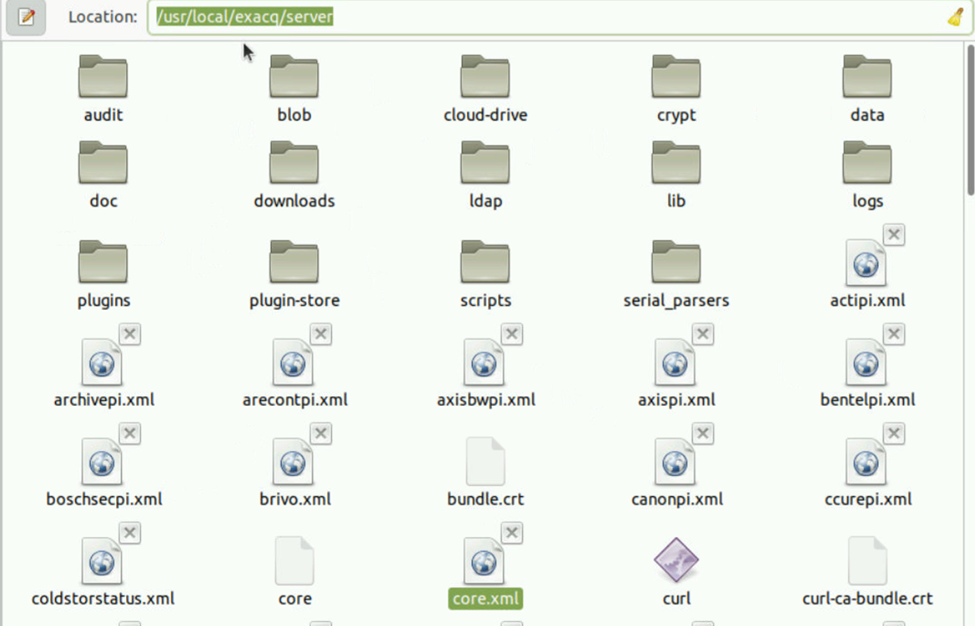
2) Back up core.xml, then edit and set throttling=0.
• Windows path: C:\Program Files\exacqVision\Server\core.xml
• Linux path: /usr/local/exacq/server/core.xml
3) Start the exacqVision Server service.
• Windows: start “exacqVision Server” from Services.
• Linux: sudo systemctl start edvrserver
4) Validate: confirm cameras reconnect, live view is stable, and throttling warnings stop.
5) After upgrading to a version that resolves the issue, revert the workaround (restore original core.xml or re-enable throttling).


| Item | Windows | Linux (Ubuntu) | Notes |
| Stop service | services.msc → Stop “exacqVision Server” | sudo systemctl stop edvrserver | Recording may pause while service is stopped. |
| Edit core.xml | C:\Program Files\exacqVision\Server\core.xml | /usr/local/exacq/server/core.xml | Make a backup copy before editing. |
| Setting | throttling=0 | throttling=0 | Disables throttling (workaround). |
| Start service | services.msc → Start “exacqVision Server” | sudo systemctl start edvrserver | Confirm cameras reconnect. |