Product
Exacq Server 26.0.3.0 Windows and Linux.
Steps to Reproduce
Add camera to client.
Navigate to Digital PTZ/Fisheye tab under Add IP Cameras.
Select drop down menu for the Fisheye dewarp.
Editing from Generic Ceiling, Ground, and Wall adds a giant black bubble on the live view.
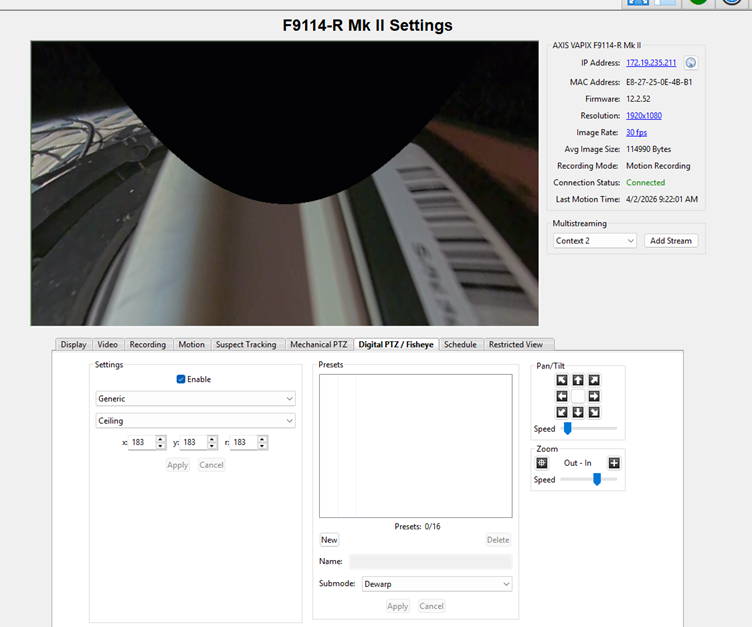
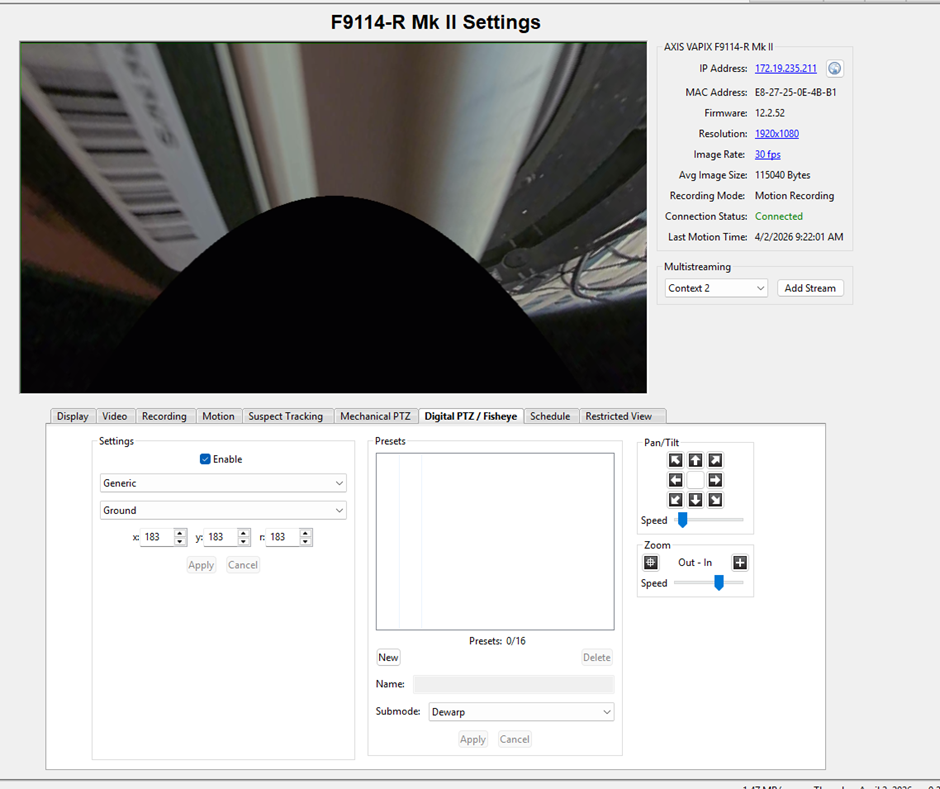
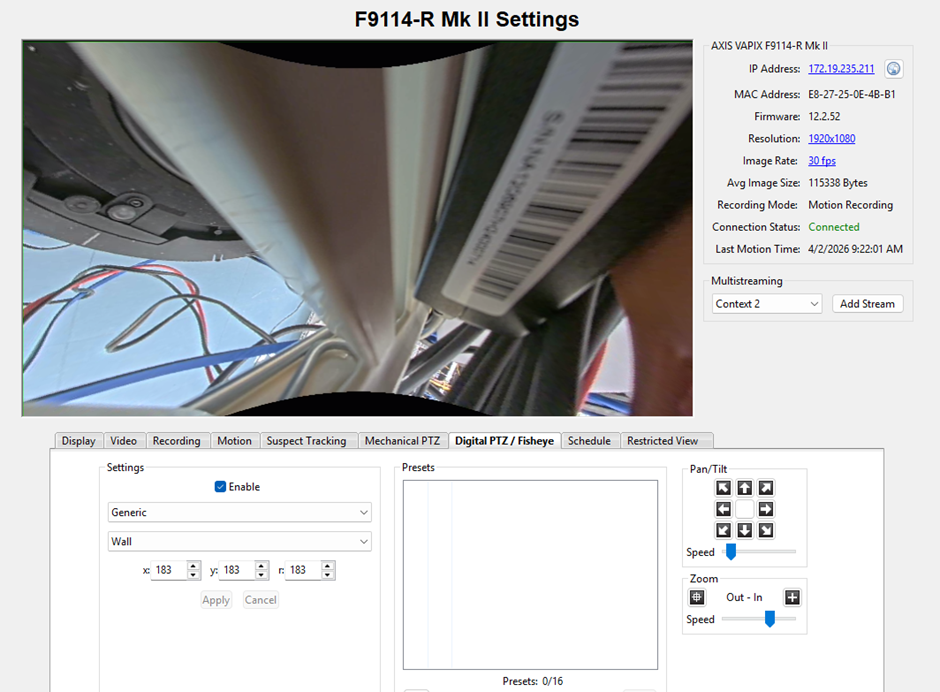
Editing the Generic options of X,Y, and R does not remove the large bubble seen in the live.
The ImmerVision option shows a blank image.
Expected Result
We should be able to use the Axis or the generic dewaper.
Actual Result
We are aware of the issue and engineers are working on fixing this. Currently they are not working properly.
Solution
Currently there is not a resolution to fix this, but we aware of the issue and are working on a fix.
Axis-Dewarper-Not-showing-for-the-F9114-and-F9114R.pdf